 By
By 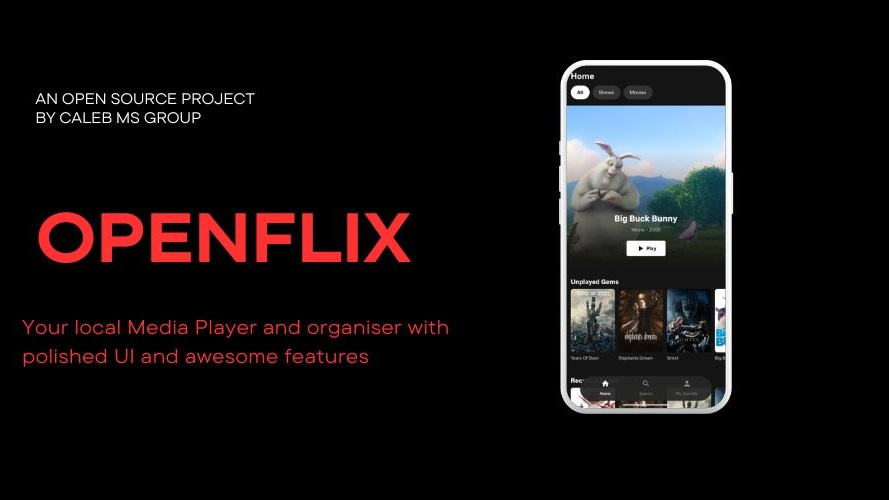
A new open-source app out of Nairobi-linked developer Caleb MS Group is betting that Kenyans sitting on gigabytes of downloaded movies and series, scattered across SD cards and phone storage with cryptic filenames like Movie.2023.1080p.WEBRip.x264-GROUP.mkv, want something better than a barebones file manager to watch them. OpenFlix, an Android app with a companion desktop player for Windows and Linux, repackages local video libraries into a streaming-service-style interface, complete with poster art, synopses, multi-profile support, and cross-device casting, without uploading a single file to a remote server.
The project is built by the same company behind TechInKenya.com, along with cinemax.co.ke and Zyrepha.com. It is fully open source, distributed under the Apache 2.0 license, with its Android codebase and desktop companion both public on GitHub.
What OpenFlix Actually Does
At its core, OpenFlix solves a narrow but familiar problem: local video libraries are ugly. Files downloaded from various sources rarely share a naming convention, folders mix movies and TV episodes indiscriminately, and there is no cover art, synopsis, or organized season structure unless a user manually builds one.
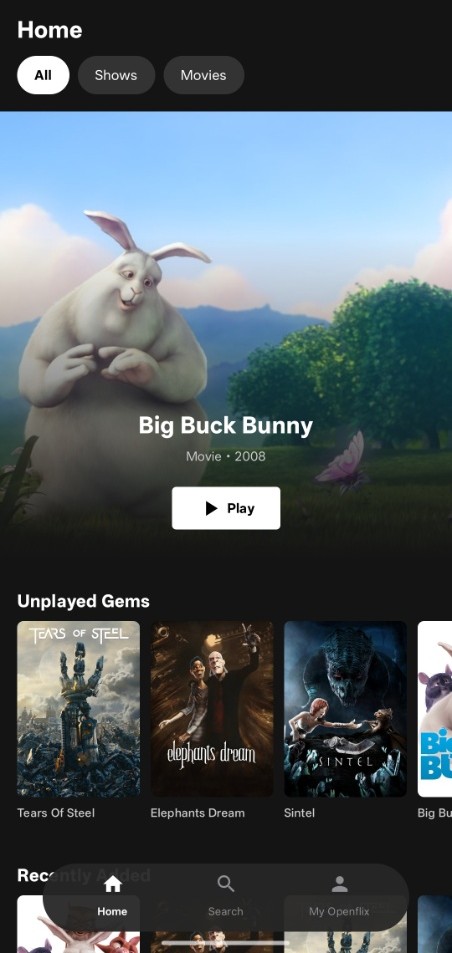
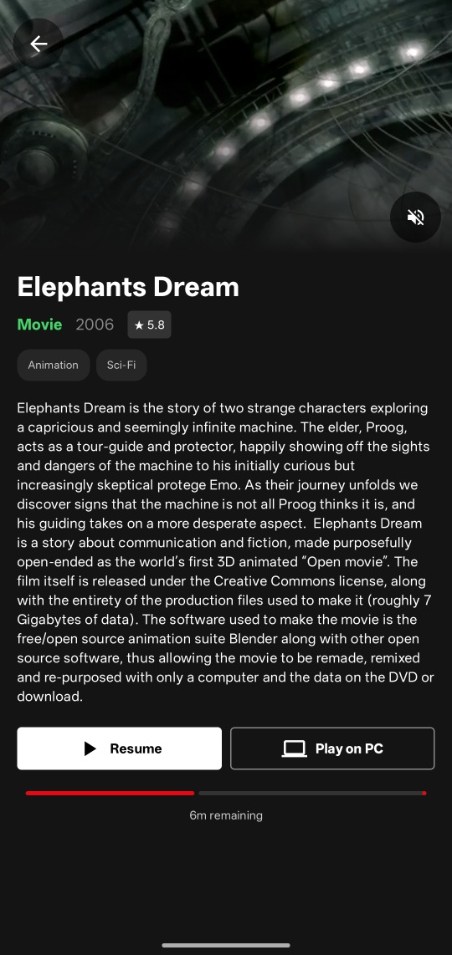
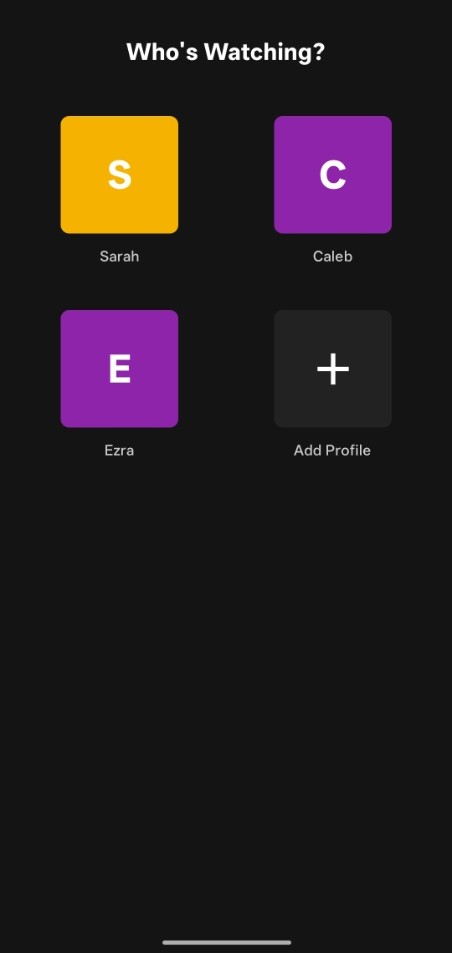
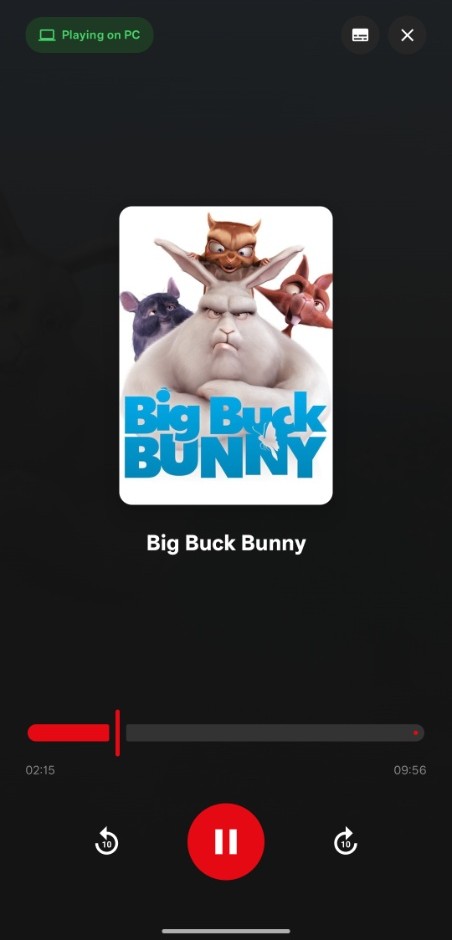
OpenFlix scans a folder selected by the user, parses filenames to strip encoding tags, resolution markers, and scene-release naming clutter, and groups the results into clean movie and show entries. If the user supplies a free API key from The Movie Database (TMDB), the app pulls posters, backdrops, cast details, genre tags, and episode synopses to match. The result, per the app's own documentation, resembles a dark-mode streaming interface with hero banners, curated rows such as "Unplayed Gems" and "Recently Added," and real-time local search across titles, genres, and release years.
Playback runs on Google's Media3/ExoPlayer framework on Android, the same engine used across much of the Android media ecosystem for its hardware-accelerated decoding and broad codec support. The desktop companion, in contrast, is built with Compose Multiplatform in Kotlin and uses a bundled copy of the LibVLC engine, the playback core behind VLC Media Player. Because LibVLC ships inside the app itself, users do not need to separately install VLC or any of its libraries to get playback working on Windows or Linux.
Profiles, Resume States, and the Privacy Pitch
OpenFlix's most consistent design decision is its refusal to talk to a remote server for anything beyond optional metadata lookups. Watch history, resume timestamps, favorites, and user profiles are all stored on-device using Android's Room persistence library. The app supports a "Who's Watching?" profile switcher common to commercial streaming platforms, letting multiple people share one device or one media folder while keeping their viewing history and playback progress fully separated.
This zero-telemetry model is a deliberate contrast to server-based home media solutions like Plex or Jellyfin, which typically require running a media server, either locally or in the cloud, and often involve account creation even for local libraries. OpenFlix instead treats the phone or desktop as the entire system: no server setup, no account, no data leaving the device except the optional TMDB API calls a user explicitly enables.
Release History Shows Rapid Iteration
Public release data hosted on Caleb MS Group's CDN shows four Android releases so far, moving quickly from a bare-bones initial build to a considerably more capable app within a few update cycles.
Version 1.0.0 shipped as the initial stable release, introducing a custom ExoPlayer implementation with gesture controls and idle-state overlays, automated TMDB metadata syncing, multi-profile support, and a built-in over-the-air update mechanism, notable for an app not distributed through the Google Play Store.
Version 1.0.1 followed as a hotfix, restoring a missing "Switch Profile" button on the settings screen and fixing a bug where deleted TV shows continued to appear on the home screen.
Version 1.2.0 added curated discovery rows (Unplayed Gems, Critically Acclaimed, Quick Watches, Throwbacks), TMDB genre tagging on detail screens, and manual subtitle selection even when no subtitle track was automatically detected, alongside fixes for a startup crash loop tied to persisted subtitle permissions and a next-episode transition bug.
Version 1.3.0, the current release, is the most significant jump. It introduces "Play on PC" casting, letting a user stream a locally stored video from their Android device to the desktop companion app over Wi-Fi or a mobile hotspot, with no cloud relay involved. Paired with this is an interactive mobile remote screen that supports timeline scrubbing, 10-second skip controls, and next-episode navigation, plus the ability to switch audio tracks and subtitles remotely while video renders on the desktop screen. The release also adds a persistent background streaming service with playback controls in the notification shade and lock screen, and automatic LAN discovery through mDNS for pairing the phone and desktop without manual IP configuration.
The Casting Feature Changes What Kind of App This Is
Before version 1.3.0, OpenFlix was, functionally, a well-designed local video player: useful, but not fundamentally different in category from a polished file-based media app. The addition of PC casting and remote control changes that positioning. A user can now browse and manage playback from their phone while the actual video renders on a larger screen, a workflow that mirrors what Chromecast or AirPlay offer for streaming apps, but built entirely over a local network connection between two devices running OpenFlix software, with no dependency on a smart TV, a cloud account, or a manufacturer's proprietary casting protocol.
Because the desktop app bundles LibVLC directly, the receiving end of that cast does not require a separate VLC installation, lowering the setup friction that similar do-it-yourself casting workflows (piping a file to an already-installed VLC instance, for instance) typically involve.
Distribution Still Runs Outside Conventional App Stores
OpenFlix is not listed on the Google Play Store or any equivalent desktop app marketplace. Android builds are distributed as direct APK downloads through Caleb MS Group's CDN, with the app's built-in OTA updater handling subsequent version checks. Desktop builds follow a similar pattern: an AppImage for Linux and an MSI installer for Windows are hosted directly on the company's CDN and linked from the official download page at openflix.calebms.com/download.
Notably, the openflix-desktop GitHub repository itself has no formal Releases published, unlike the main Android repository. Users who prefer to build directly from source rather than trust a pre-built binary can do so through the project's GitHub Actions workflow, which is configured to produce Windows builds automatically; these are accessible as downloadable artifacts at the bottom of individual workflow run pages, a common pattern among open-source projects that want to offer verifiable builds without maintaining a formal release pipeline.
An Early-Stage Project With a Narrow but Clear Niche
Both GitHub repositories remain small by open-source standards. The main Android repo shows nine commits and a single public star at the time of writing, while the desktop companion shows six commits and the same star count, reflecting a project still in its early public life rather than an indication of technical limitation. Caleb MS Group has framed the low visibility as a function of the project's youth rather than a reflection of its capability, a claim broadly consistent with the pace of feature delivery seen across the four Android releases published in the CDN release history.
OpenFlix is not attempting to compete directly with self-hosted server platforms like Jellyfin or Plex, which serve libraries to multiple remote clients over the internet. Its target user is narrower: someone with a phone or laptop full of local video files who wants a better interface for watching them, without setting up a server, creating an account, or sending viewing data anywhere. For media collectors, students working with offline course libraries, or anyone whose internet costs make streaming unappealing, that remains a specific but real gap in the local software landscape, one OpenFlix is now filling with a fairly complete feature set for a project still short of its first year of public releases.
Comments